 InterviewPro
CandidateAutomatic
01. Application
Applications reach the Weekly Applicants table from your inbox. Your team can also add someone by hand or import a spreadsheet.
Weekly Applicants
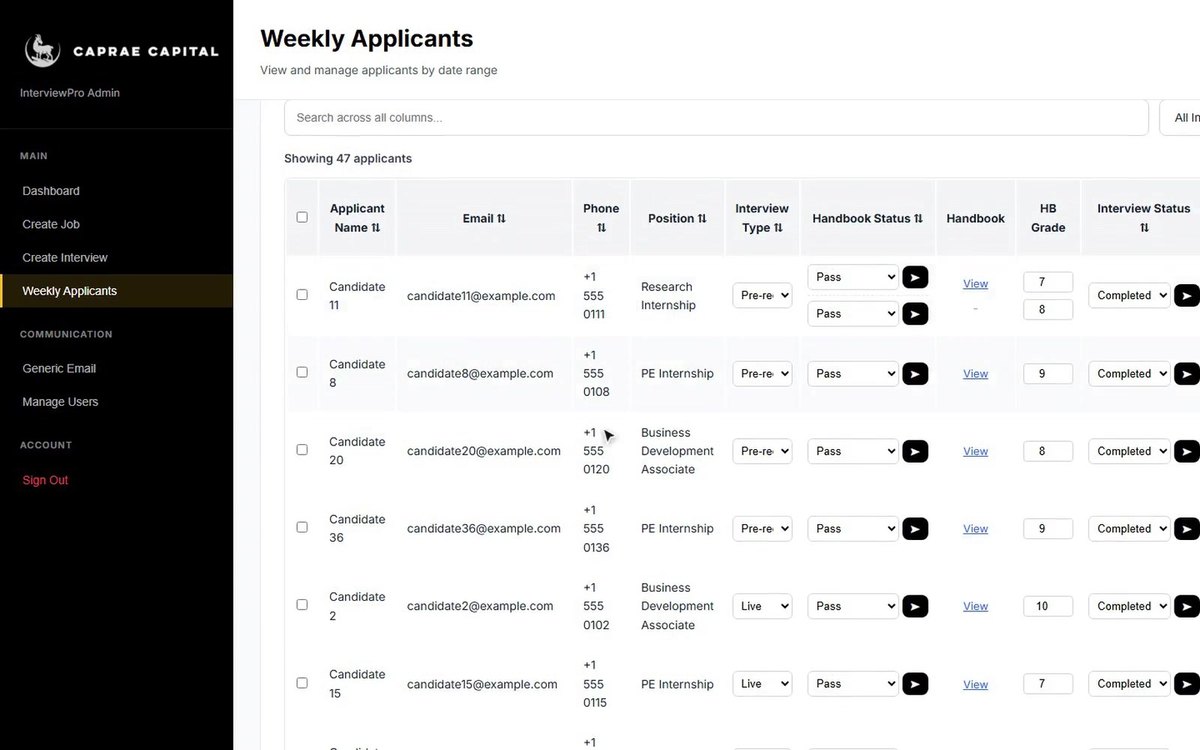
Seven steps, and who does what at each one: the candidate, your team, or InterviewPro on its own. Every picture is the real app with demo data.
Applications reach the Weekly Applicants table from your inbox. Your team can also add someone by hand or import a spreadsheet.
Each applicant receives the handbook for their role, with a deadline, a short tutorial and an info session. AI reviews it, and your team makes the pass or fail call; some roles have a second handbook.
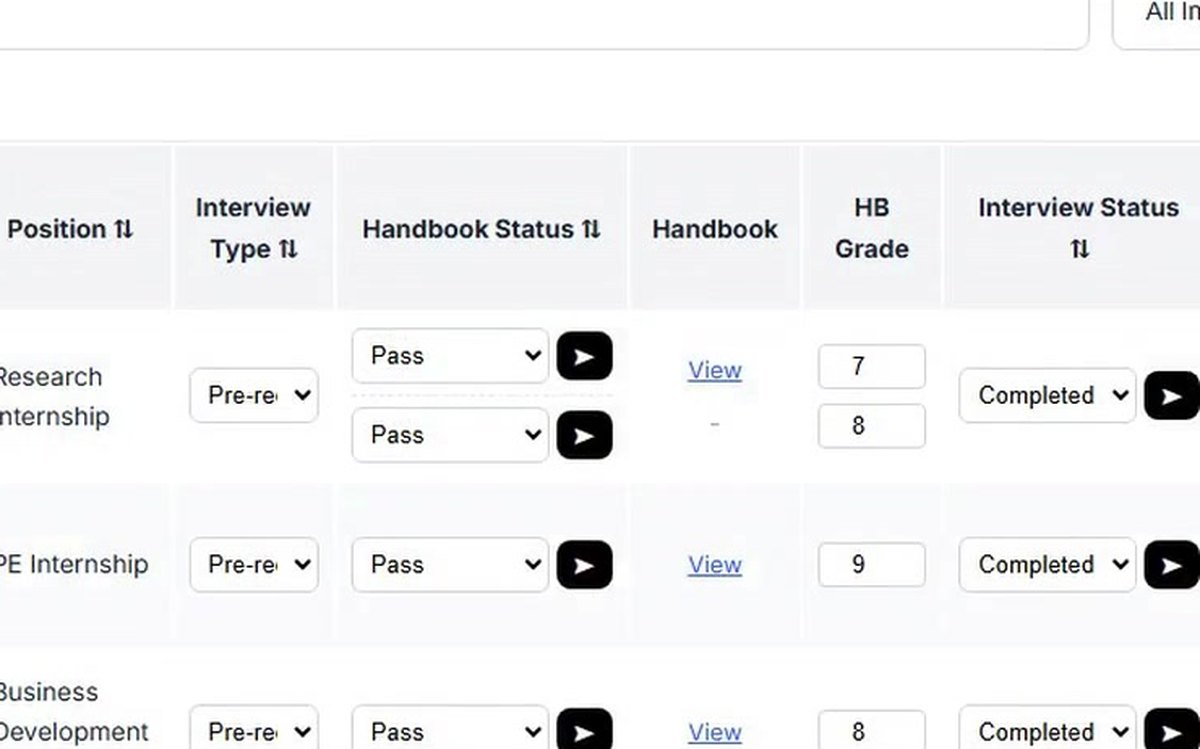
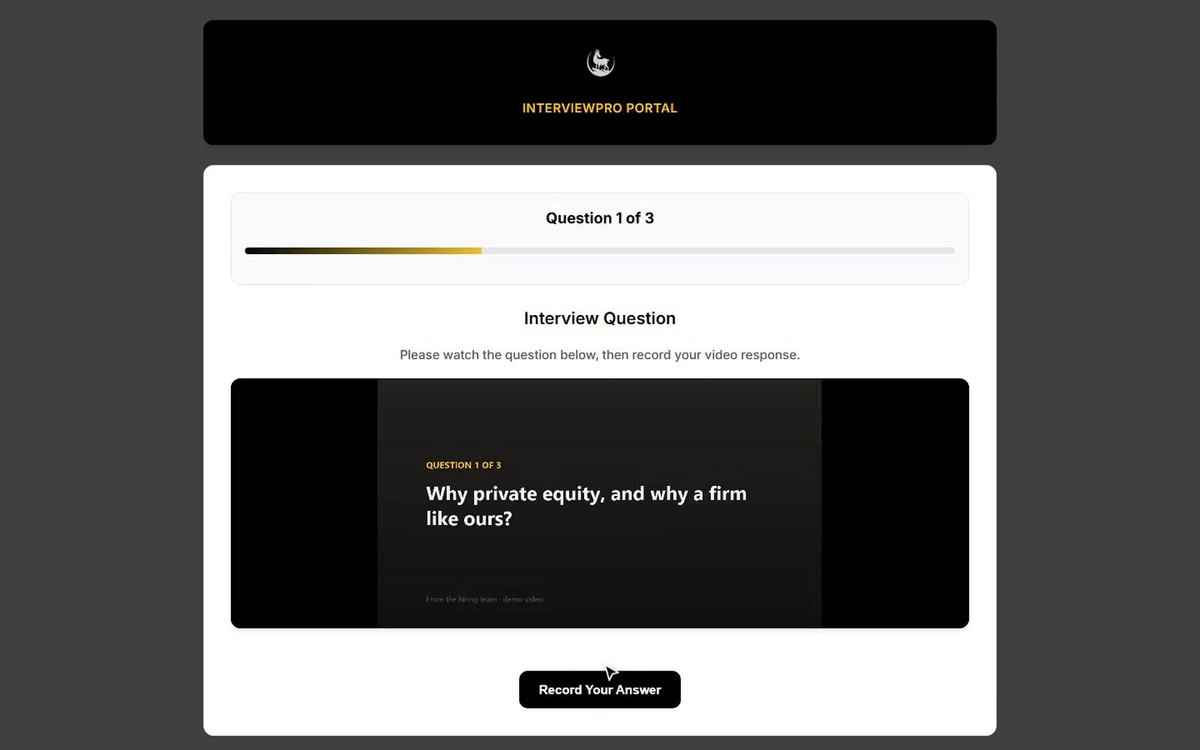
Passing the handbook sends the candidate their recorded-interview link. Choose a live interview instead and they get a booking link with the next interviewer in the rotation.
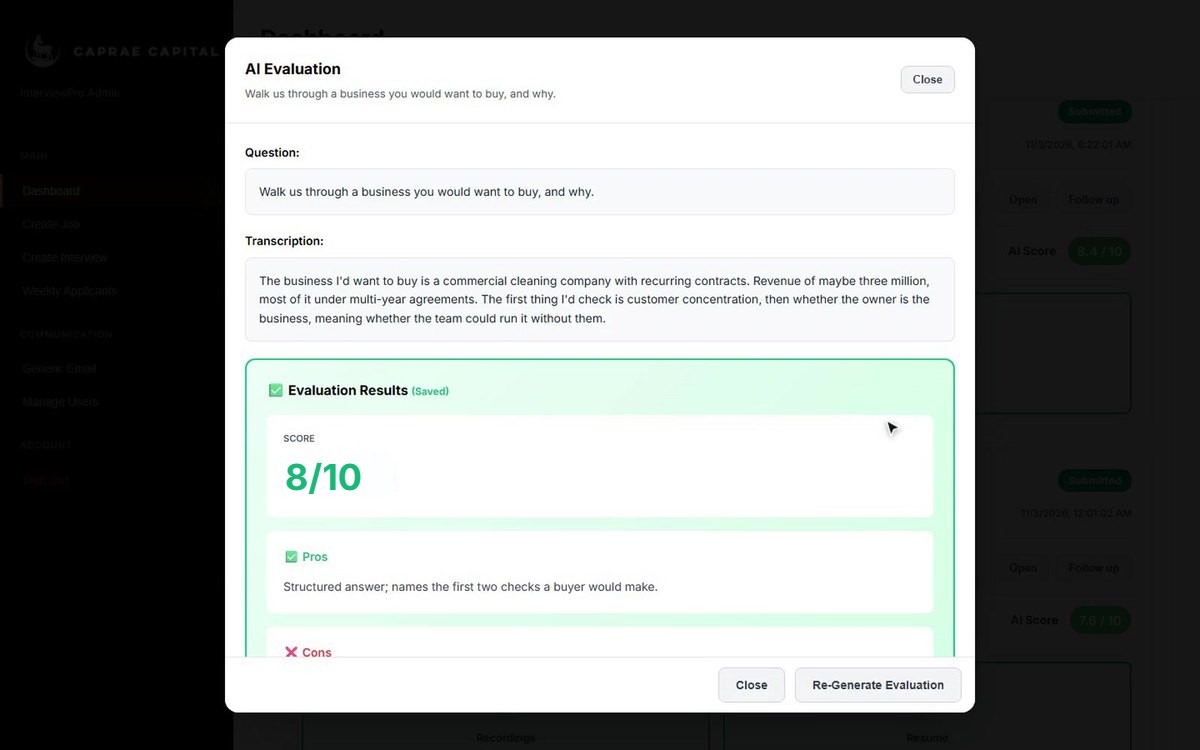
Each answer arrives with a transcript and an AI evaluation: a score out of 10, strengths and weaknesses. The interview card shows the average out of 10.
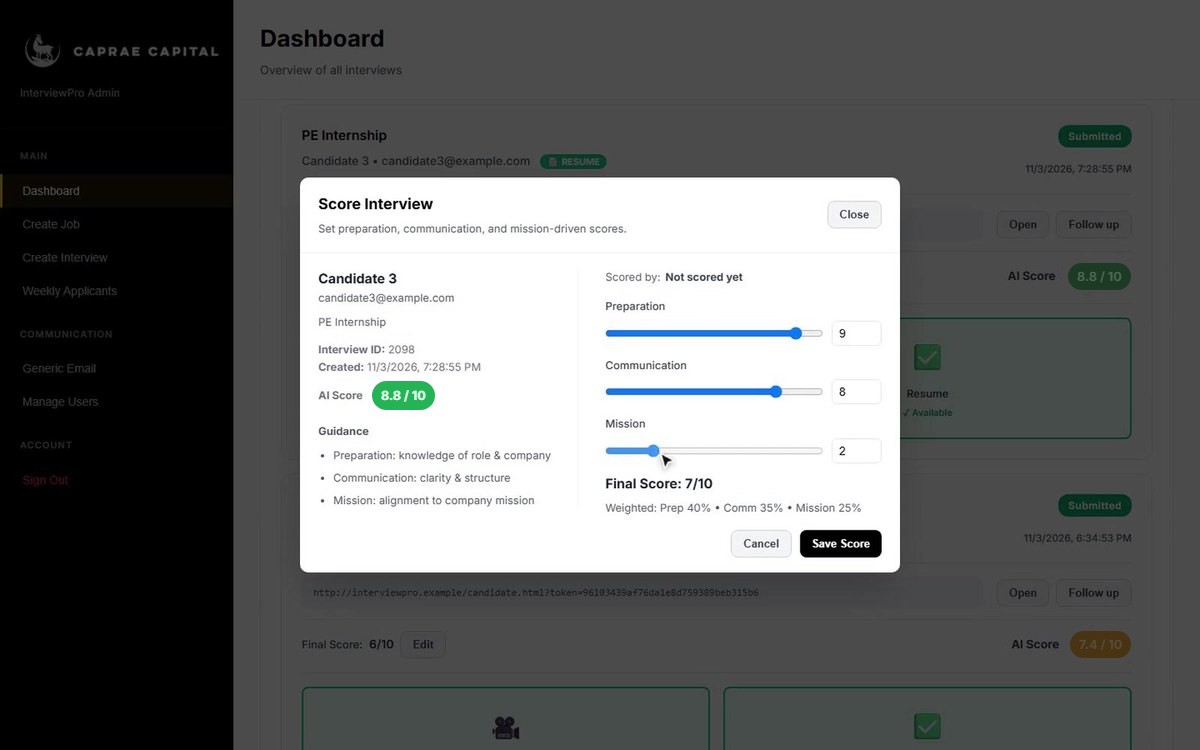
Reviewers score preparation, communication and mission from 0 to 10, weighted 40, 35 and 25. A final score of 8 or more is Selected; under 5 is Rejected.
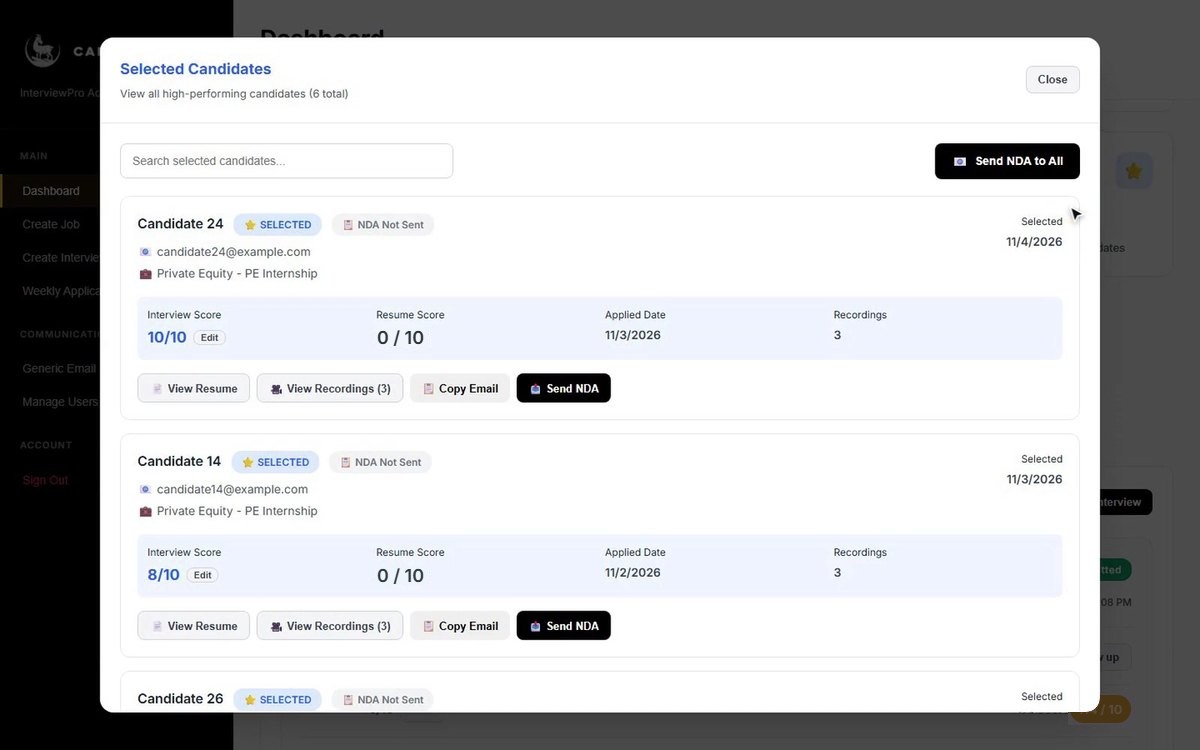
Selected candidates get the NDA form, one at a time or all at once. When a candidate accepts it, InterviewPro records the response.
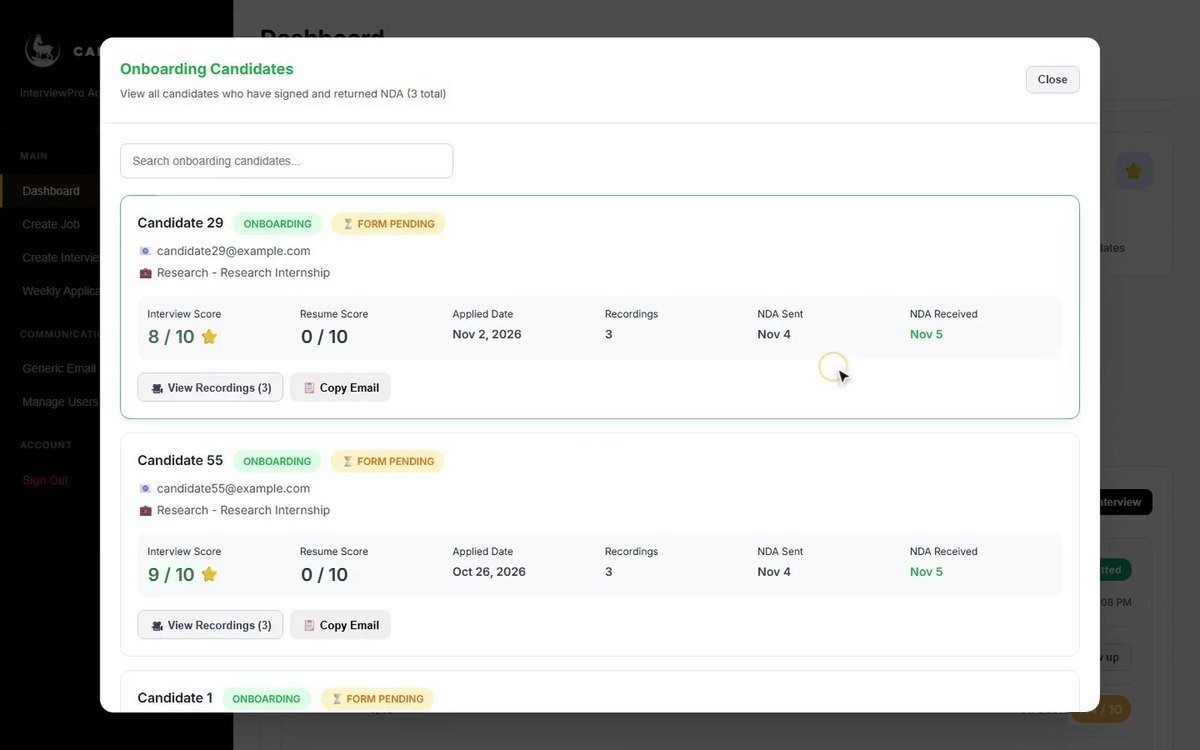
Accepted candidates move to Onboarding, with the dates the NDA was sent and received.
The steps above marked Automatic, in one list.