 InterviewPro
Everything the first round needs, in one place.
From the interview you build for a role to the NDA a new hire signs. Every picture on this page is the real app with demo data.
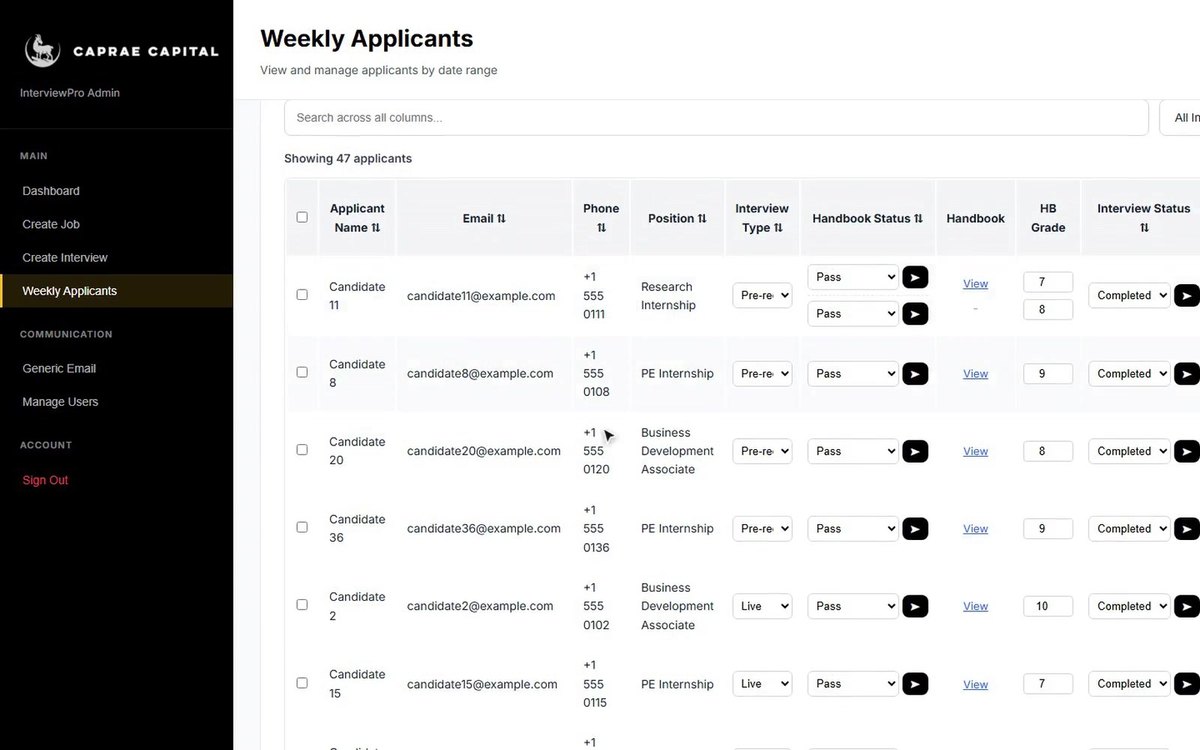
Build an interview for each role, then send each candidate their own link. They answer on video, in the browser, whenever it suits them.
- Job title, type and description: full-time, part-time, internship, contract or freelance
- An intro video recorded by your team
- Your own questions, each with its own thinking time and answer time
- One link per candidate, open for 7 days by default, or bulk invite a list
- Prefer a conversation? Live interviews send a booking link with the next interviewer in the rotation
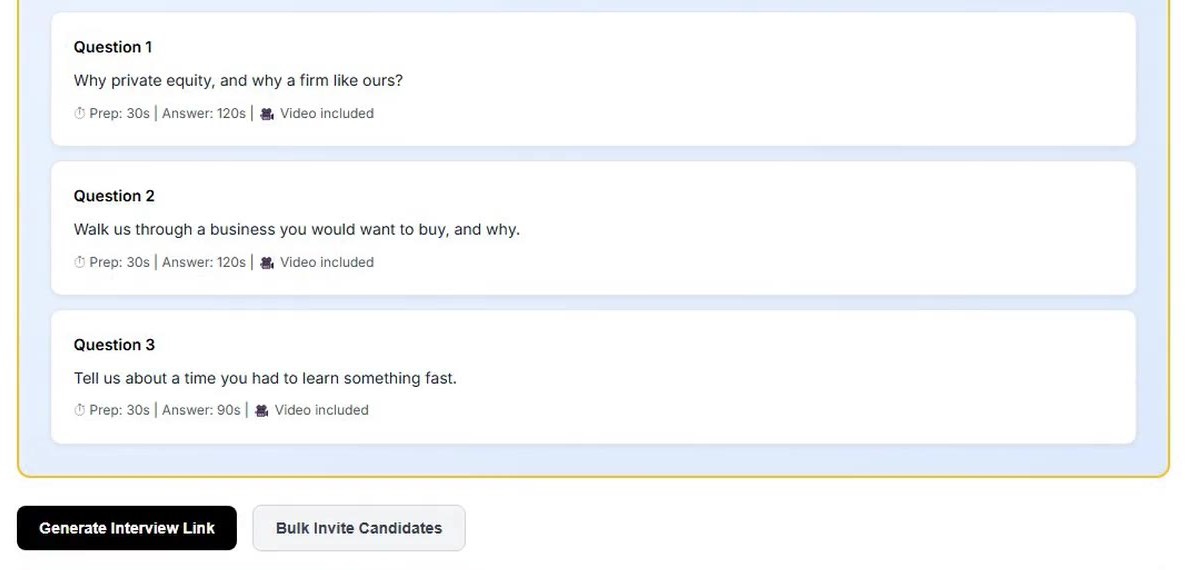
Each answer arrives already read. Skim the transcript and the notes, then watch the answers that matter.
- A transcript for every answer
- An AI score out of 10 for each answer, with strengths and weaknesses
- The average shown on the interview card as an AI score out of 10
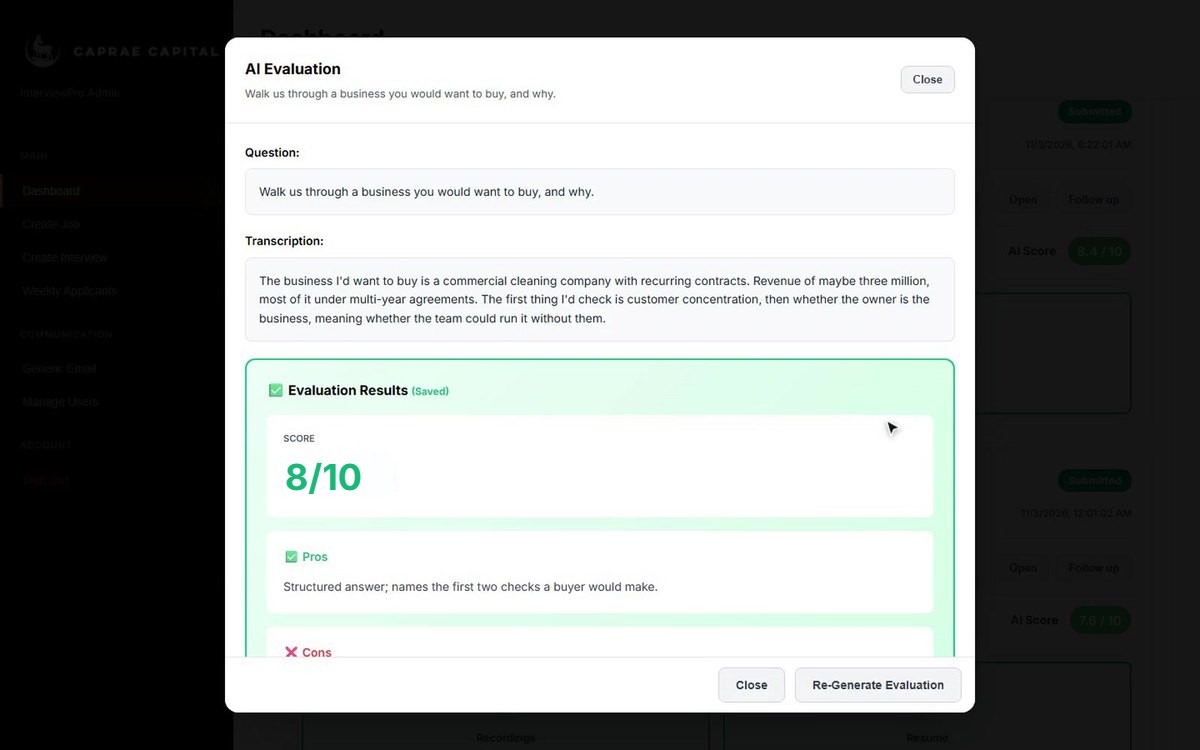
Every reviewer scores the same three things. InterviewPro weights them and sets the candidate's status.
- Preparation, communication and mission, each from 0 to 10
- Weighted 40, 35 and 25 into one final score
- 8 or more: Selected. Under 5: Rejected
- Who scored, and when, is saved with the score
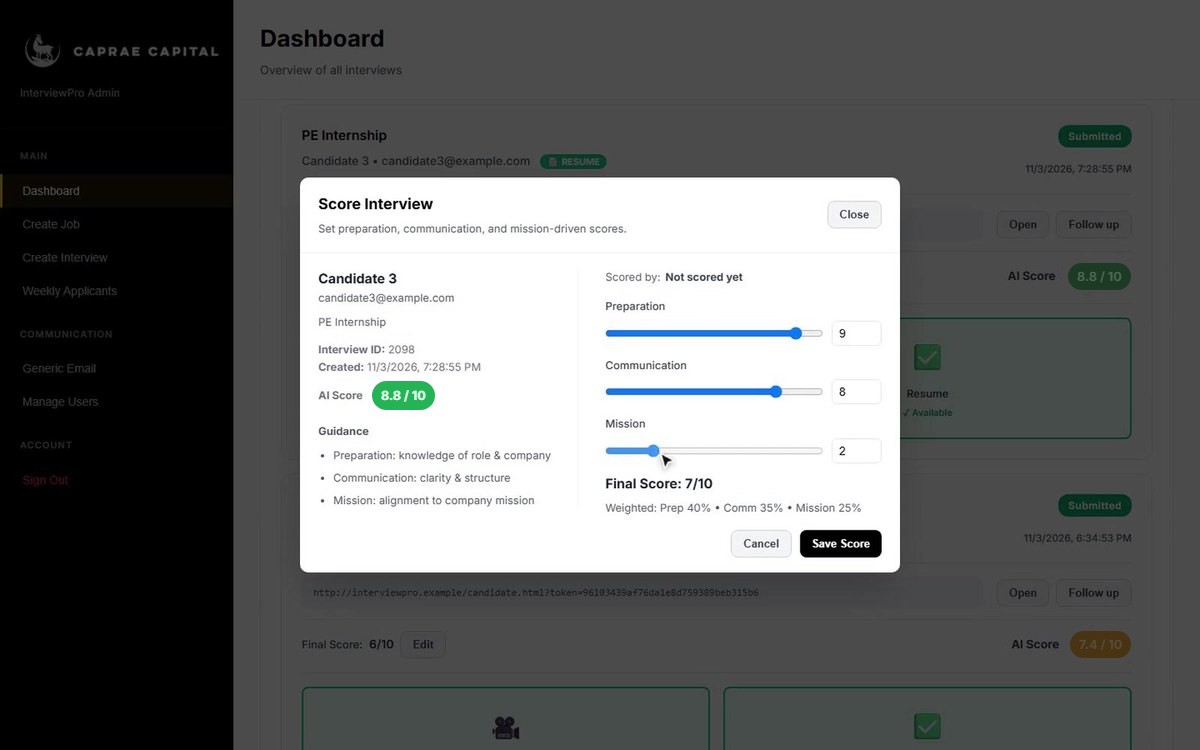
Pick a date range and see everyone who applied, with each stage of their application in one row.
- Position, interview type, handbook status and grade, interview status, NDA status and date applied
- Search across every column; filter by interview type and handbook status
- Add an applicant by hand, or import Excel or CSV
- Send the next stage's email from the same row
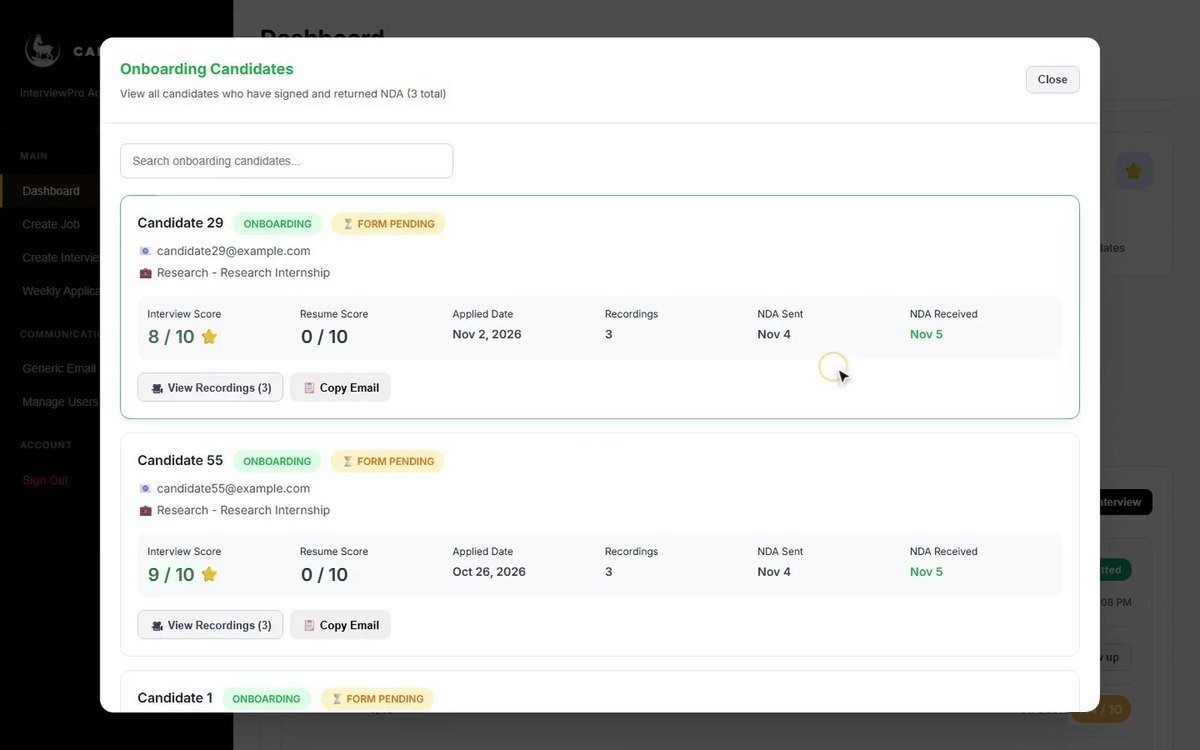
Selected candidates are listed with their scores and recordings, ready for the NDA. Accepted candidates move to Onboarding.
- Send the NDA to one candidate or to everyone selected
- The dates the NDA was sent and received
- Search both lists
The emails it writes for you.
Preview and edit each one before it goes, to one candidate or to everyone you've selected, with each name filled in.
| When you'd use it | |
|---|---|
| Invite | Sends the candidate their interview link. |
| Reminders | Three templates: 48 and 24 hours before the link closes, and the day it closes. |
| Nudge | For an interview that was started but not finished. |
| Thank you | Once the answers are in. |
| Expired | When the link has closed. |
| Rejected | A clear answer for candidates who weren't selected. |
| Congratulations | For selected candidates. |
| Stage emails | Handbook pass or fail, interview invite, interview pass or fail, and the NDA request, sent from the Weekly Applicants table. |
Two roles, clear limits.
Admin
Creates jobs and interviews, sends emails and sees every candidate. Adds team members, and can send them an invite to sign in.
Interviewer
Signs in to review recordings and score interviews. Each score shows the interviewer's name.