 InterviewPro
Got an interview link? Here's what to expect.
Your interview happens in your browser, whenever it suits you before the link closes. There's no account to create and nothing to install.
Have these ready.
A camera and a microphone
Your browser will ask for permission to use them. Allow it, or the interview can't start.
Your resume
PDF, DOC or DOCX, up to 10MB. You can also skip this step.
A steady connection
Each answer uploads before the next question appears.
Time to finish in one sitting
The page warns you if you try to leave it partway through.
Five screens, start to finish.
- 1
Upload your resume
Drag it in or click to choose it. It's saved for the hiring team to review.
- 2
Check your camera and microphone
You'll see yourself, and a meter shows your sound level as you speak. If the camera doesn't show, use Retry Camera.
- 3
Watch the team's introduction
A short video from the hiring team explains the interview before your first question.
- 4
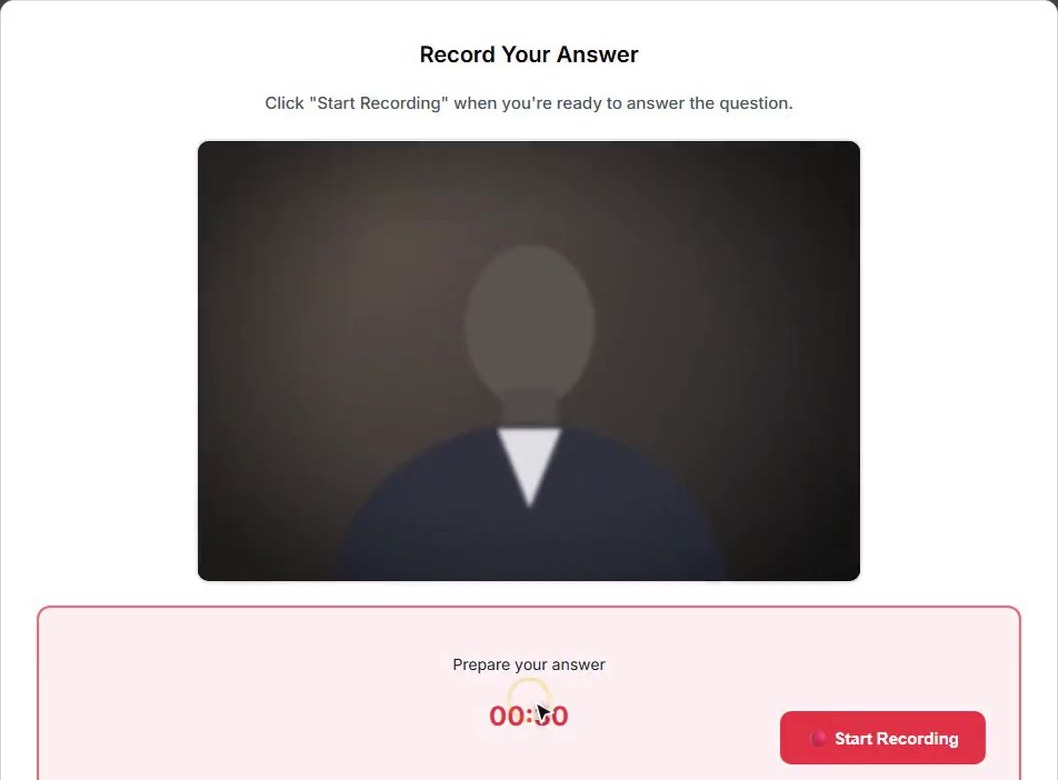
Answer each question
Watch the question, then take your thinking time; a countdown shows how long you have. Recording starts when it ends, or sooner if you click Start Recording. It stops when your answer time runs out, or when you click Stop. A few seconds later your answer uploads and the next question begins.
- 5
You're done
A thank-you screen confirms your interview is complete. The hiring team reviews your answers and gets back to you.
Common questions from candidates.
Can I record an answer again?
No. Each answer is recorded once, so use your thinking time to plan it.
How long are the thinking time and answer time?
The hiring team sets them for each question. Unless they change them, you get 30 seconds to think and 2 minutes to answer. The countdown on screen always shows what's left.
How long does my link stay open?
7 days by default. The hiring team may send you a reminder before it closes.
My link says "Interview Not Available". What now?
The link has expired, has already been used, or was copied incorrectly. Try refreshing the page, check you used the full link, and if it still doesn't work, ask the team that sent it for a new one.
Who sees my answers?
The hiring team that invited you. Your answers are transcribed and an AI writes notes on them for the team, but a person on the team makes the decision.